
Dune Analytics Unveils a Step‑by‑Step Guide to Building and Styling Charts
March 4, 2026 – DeFi Pulse
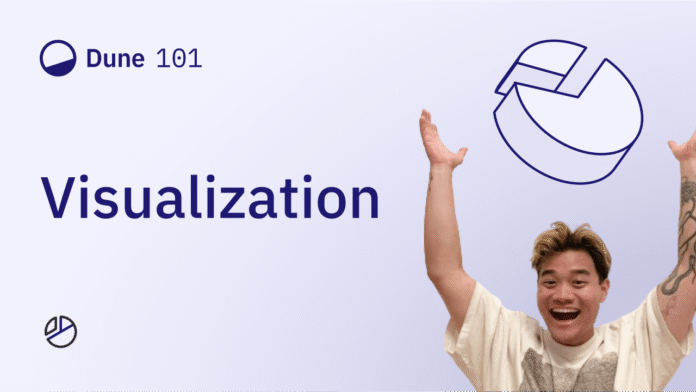
The analytics community on Dune has just received a comprehensive walkthrough on how to transform raw query results into polished visualizations. The tutorial, released as a short video on the platform’s blog, walks users through every stage of chart creation—from selecting the right visual type to fine‑tuning legends, colors and dynamic descriptions. Below is a distilled overview of the workflow, why it matters for on‑chain data analysts, and the practical takeaways for anyone looking to embed richer visual widgets in their dashboards.
From Query to Canvas: An Overview
The guide begins by laying out the spectrum of visualization options Dune supports, including bar, line, scatter, and table formats. Each type can be customized with axis titles, legend placement and colour schemes, giving analysts the flexibility to match the visual language of their reports.
Formatting Raw Results
Before a chart can be generated, the underlying dataset often needs cleanup. The tutorial demonstrates how to:
- Rename columns for clearer labeling.
- Append currency symbols (e.g., “$”) directly in the table view.
- Round numbers or switch between decimal and integer displays to improve readability.
These preprocessing steps ensure that the final chart communicates figures accurately without requiring downstream manual edits.
Building and Editing Charts
The video walks through a typical workflow for a bar chart:
- Select X‑ and Y‑axes – map a categorical field (such as token name) to the horizontal axis and a numeric metric (like daily volume) to the vertical axis.
- Group and Stack – the tutorial shows how to stack bars by a secondary dimension (for instance, protocol or chain) to convey layered data in a single view.
- Customize Tooltips – hover‑over text can be enriched with additional fields, allowing viewers to drill down into the exact numbers that correspond to each segment.
The same steps translate to other chart types, though the guide notes a best‑practice: start with a bar chart if you intend to keep stacking, then switch to line or scatter only after the data is correctly grouped.
Managing Colours and Legends
Dune automatically assigns palette colours to legend entries, but the guide explains how to:
- Override default hues with custom HEX codes for brand consistency.
- Reorder legend items so that the most important series appear at the top of the list.
These tweaks help prevent visual clutter, especially for dashboards that aggregate multiple protocols.
Advanced Features
Beyond basics, the tutorial touches on several higher‑order options:
- Normalization – convert absolute bar heights into percentages, useful for comparing market share across time.
- Mixed‑type Charts – overlay a line series on a bar chart or combine scatter points to highlight outliers without sacrificing the stacked view.
- Dynamic Descriptions – embed query parameters inside a chart’s description field so that explanatory text updates automatically when the underlying data changes.
Deploying to Dashboards
Once a visual is finalized, it can be saved as a widget and dragged onto any Dune dashboard. The interface also supports editing or deleting a visualization, allowing analysts to iterate quickly as new data streams become available.
Why It Matters for DeFi Analysts
Data storytelling is a cornerstone of DeFi research, where investors and developers rely on clear visual signals to assess protocol health, liquidity flows, and user behavior. Dune’s recent tutorial lowers the barrier to producing publication‑ready charts directly from on‑chain SQL queries, eliminating the need for external tools such as Tableau or Power BI.
By integrating formatting, colour control and dynamic annotations within the same platform, analysts can:
- Accelerate insight generation – reduce the time spent shuttling between query writers and graphic designers.
- Maintain data fidelity – avoid copy‑and‑paste errors that can arise when exporting raw tables.
- Enhance stakeholder communication – deliver dashboards that adapt automatically as new blocks are indexed, keeping investors informed with up‑to‑date visuals.
Key Takeaways
| Takeaway | Implication |
|---|---|
| Unified workflow – Dune now supports end‑to‑end chart creation, from SQL results to styled widgets. | Cuts toolchain complexity and speeds up reporting cycles. |
| Rich customization – Colour overrides, legend ordering and tooltip enrichment are all editable in‑platform. | Enables branding consistency and clearer data narratives. |
| Advanced chart combos – Normalized bars, mixed line‑scatter overlays, and stacked configurations are readily achievable. | Provides flexibility for comparative analyses across protocols. |
| Dynamic descriptions – Parameterized text updates automatically with the dataset. | Reduces manual maintenance of explanatory notes. |
| Dashboard integration – Visuals can be added, edited or removed as modular widgets. | Supports iterative dashboard design and rapid A/B testing of visual hypotheses. |
Looking Ahead
With the DeFi ecosystem continuing to generate ever‑greater volumes of on‑chain data, tools that streamline the transformation of raw numbers into digestible graphics will be increasingly valuable. Dune’s expanded visualization capabilities, now clearly outlined in its tutorial, position the platform as a one‑stop shop for analysts who need both analytical depth and presentation polish.
For teams building market overviews, protocol health trackers, or investor decks, mastering these new charting functions could be the difference between a static spreadsheet and a compelling, data‑driven narrative.
Source: https://dune.com/blog/creating-visualizations-charts